From Design to Finished Work: WAZER Opens a New Chapter in Creative Manufacturing at Hsing Wu University

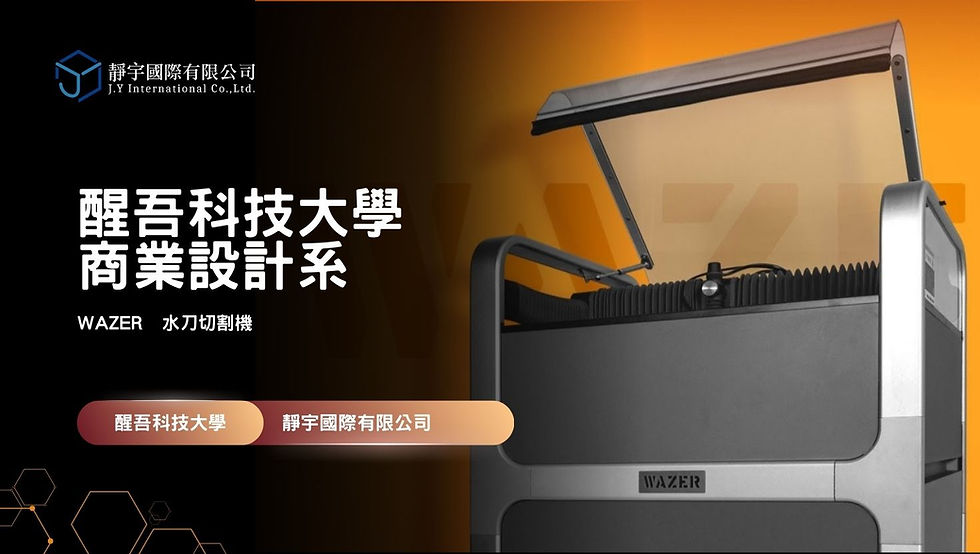
On December 5, 2025, Hsing Wu University and Jing-Yeu International Ltd. held a WAZER waterjet training session designed for students. Previously, students in the Department of Commercial Design often faced equipment limitations when making physical work. Laser engraving and thermal cutting could leave scorch marks or even a burning smell on certain materials, affecting the intended finish. Limited processing options for harder or thicker materials also forced students to scale back ideas or change materials for creative projects and graduation work.
Introducing the WAZER waterjet helped address these limitations. Waterjet cutting removes material physically rather than through high-temperature burning, reducing the marks associated with thermal processing. Its ability to work with different materials also expands possibilities beyond constraints of hardness or thickness. For the department, it represents more than new equipment: it offers a way to develop classroom exercises, physical work and graduation projects more fully, while opening up interdisciplinary collaboration and greater creative variety.
Design Can Take Shape Beyond the Screen
FLUX staff began by explaining the origins of waterjet cutting, its early use in industrial processing and its gradual development into equipment suitable for education. The instructor then introduced the range of compatible materials, from metal and ceramics to various sheet materials, noting that, apart from paper, most everyday materials students might imagine can be cut with a waterjet.
For file preparation, FLUX staff outlined how design files become cutting files and pointed out that WAZER’s official website provides a wide selection of cutting parameters. When an exact material is unavailable, parameters for a material with similar properties can serve as a starting point.
The instructor also reminded students to check whether a cut follows the outside or inside contour. These seemingly minor settings affect the integrity of the finished piece.
An explanation by FLUX staff An explanation by FLUX staff
Experiencing Professional Equipment Up Close
After the presentation, the class moved to the equipment area.
FLUX staff opened the machine cover and demonstrated:
How to issue commands in the software
How to secure the material
How to position the cutting head
When to replenish the abrasive
A pre-cutting safety checklist
In particular, the timing of abrasive replenishment helped many students realize that waterjet cutting does not automatically produce perfect results: operators must observe the machine carefully. The instructor emphasized:
“A full abrasive hopper provides approximately 90 minutes of cutting. If the job will take longer than 90 minutes, replenish the abrasive in time.”
From a Bat to a Bottle Opener: Ideas Take Shape in Water
Next came the most exciting demonstration stage.
(1) Cutting a Ceramic Bat
FLUX staff placed a ceramic sheet inside the machine. Once the program began, a high-pressure stream of water carrying abrasive followed the bat-shaped path. The ceramic was hard, and the lower power setting used for this demonstration meant the cut did not go all the way through. Nevertheless, the complete bat outline remained clearly visible.
Students gathered around the result, taking photographs and exclaiming, “So that’s how it’s cut!”

(2) Cutting an Iron Bottle Opener
The second demonstration used an iron sheet. With more suitable power and speed settings, the machine followed a clean cutting path, and a bottle-opener component soon took shape.
(3) The Department Chair Joins In: A Copper Four-Leaf Clover
Finally, the department chair brought a copper sheet and supplied a four-leaf-clover design symbolizing good luck. WAZER quickly cut four delicate leaves with clear edges and a charming shape. Held in the hand, the result resembled a finely made accessory.
This was more than a demonstration: it was a practical experience of turning design into a tangible outcome.
WAZER’s Value for Commercial Design at Hsing Wu: Supporting Coursework and Graduation Projects
For the department, the waterjet is more than an embellishment. It can materially influence the depth of students’ work.
(1) Classroom Applications
Product design: Students can progress from 2D sketches and 3D models to metal or acrylic prototypes.
Spatial arrangement and exhibition: Students can make installation components, supports and decorative panels themselves.
Visual design: Students can create refined physical products such as badges and cut-out logos.
Materials studies: Students can test how different materials behave during cutting.
Working across materials expands the range of work students can imagine and create.
(2) Graduation Project Applications
Previously, students often had to:
Outsource fabrication
Make components themselves using simpler tools
Abandon ideas involving metal or ceramics
The waterjet now enables them to:
Produce more precise metal structures
Make high-quality models
Design functional products
Fabricate complex components themselves
Reduce outsourcing costs and production time
Many designs that previously existed only as concepts on a computer can now become physical objects.
Connecting Waterjet Cutting with Vocational Data Processing and University Courses
1. How Can High School Data Processing Programs Participate?
Although these programs focus primarily on databases, websites, programming and information management, there are many ways to connect them with waterjet cutting:
Design control interfaces or monitoring systems, such as web-based control panels
Use graphics software to output cutting paths and develop basic CAD skills
Combine design, programming and hardware in an integrated project
Create a data-recording system for waterjet workflows, including operating histories and parameter records
Develop cross-department projects in which data processing students handle interfaces and logic while commercial design students handle design and materials
These are examples of the interdisciplinary collaboration encouraged by the new curriculum guidelines.
2. How Can University Courses Build on This?
Product prototyping courses
Makerspace courses
Cross-department collaboration: commercial design with computing, mechanical engineering or cultural and creative design
STEAM education projects
Product samples for entrepreneurship courses
Waterjet cutting can turn ideas from any discipline into physical objects, which explains its value in a university.
More Than Skills: Helping Students See Future Possibilities
This session was more than equipment instruction. It introduced students to turning ideas into physical objects.
It helped them understand:
Design no longer has to end on a computer.
With the right technology, ideas can become real.
Interdisciplinary collaboration can be put into practice.
The session also opened up more possibilities at Hsing Wu University, with further creative work across departments, year groups and disciplines ahead.
From Design to Finished Work: WAZER Opens a New Chapter in Creative Manufacturing at Hsing Wu University
FLUX’s on-campus training was more than a demonstration; it was an important step in changing design education.
It gave students:
A more professional understanding of technology
More comprehensive creative capabilities
Practical experience closer to industry
More varied, achievable directions for graduation projects
Opportunities to collaborate with computing and engineering disciplines
From a ceramic bat and an iron bottle opener to a copper four-leaf clover, WAZER’s first day at Hsing Wu University showed students how creativity and technology can work together.
In the future, more works, ideas and interdisciplinary collaborations can gradually take shape with this machine.
#FromDesignToFinishedWork: WAZER Opens a New Chapter in Creative Manufacturing at Hsing Wu University
Watch the full video on YouTube
To learn more, call Jing-Yeu International or contact us through our official LINE account. 🙌
👇 Add our official LINE account for the latest events and teaching resources. 👇
👇 LINE ID: @244abdrd. You can also scan the QR code below! 👇


Comments